Get a free quote
Thanks for getting in touch
What You Really Need to Know Before You Live Stream Your Next Event
Somewhere between booking the venue and briefing the speakers, the question usually comes up. Can we live stream this? It is the right question to ask. But it often gets raised too late, or without enough thought about what live streaming actually involves and what it can genuinely do for your event.
I have worked on a lot of live streamed events. The ones that go well share something in common. They were planned with the online audience in mind from the start, not bolted on at the end. Here is what I think every organiser should know before they go live.
Your Online Audience Deserves a Seat at the Table
The first thing I always say to clients is this: think of your online viewers as people who are actually in the room. Not watching a recording later, not catching up at their desk with the sound off. In the room.
That shift in thinking changes everything. If everyone attending in person gets a printed programme or a resource pack, why would your online audience not get the same? A PDF version sent ahead of time, or a link shared at the start of the stream, is a small thing. But it tells remote viewers that they matter. That they are part of the event, not just watching it from the outside.
The more included your online audience feels, the more engaged they will be. And engagement is the whole point.
Live, Pre-Recorded or Both? It Is Worth Thinking This Through
It is worth pausing here before you commit to anything. Live streaming is brilliant in the right context. But it is not always the best option. Sometimes a polished, edited recording delivers more impact and reaches more people, because it can be shared, reshared, clipped and repurposed long after the event is over.
The honest answer is that often, the best approach is both. Stream the event live for the energy and interaction, then edit the recording afterwards into a tighter, more accessible version. A concise five-minute highlight reel can carry your message much further than a two-hour stream that most people will never sit through in full.
If you want interactivity and real-time engagement, live is the right call. A live Q and A session brings the online audience into the conversation in a way that feels genuinely exciting. It is also something an in-person audience alone simply cannot replicate.
Where and When You Stream Matters More Than You Think
Not all platforms are the same, and neither are your audiences. Think carefully about where your viewers will be watching and how they will be watching before you decide where to send your stream.
Younger audiences are far more likely to watch on their phones, in portrait orientation, on platforms like Instagram or TikTok. Older professional audiences tend to watch on laptops or connected TVs, in landscape. These two formats require different approaches to framing, graphics and layout. Streaming to multiple platforms simultaneously is possible, but each one needs a little thought.
Timing is equally important. If your audience is predominantly in the UK and watching as part of their working day, a mid-morning start makes sense. If you are reaching a global audience, you need to think about which time zones you are trying to serve and accept that you cannot please everyone at once. The answer is straightforward. Make sure a recording is available immediately after the stream ends, so people in different time zones can catch up at a time that works for them.
You Do Not Need a Huge Crew or a Big Budget
One of the most common misconceptions I hear is that adding live streaming to an event automatically means higher costs. It does not have to. When it is planned properly, it can actually reduce some of the pressures that come with a large in-person audience.
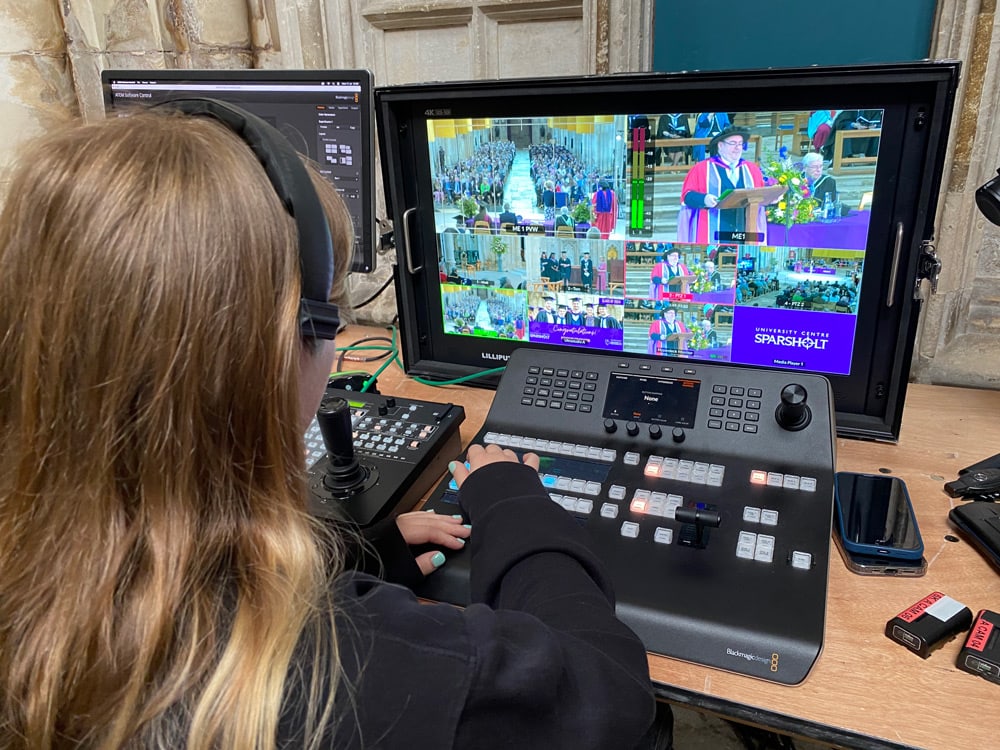
PTZ cameras (pan, tilt and zoom cameras that can be operated remotely) are a good example of this. Rather than needing multiple operators stationed around a venue, a single operator can control several cameras from a laptop. That means fewer people in the room, a tidier setup and, in many cases, a lower overall production cost. The cameras themselves are discreet, unobtrusive and capable of producing broadcast-quality footage.
The key is planning. When the streaming setup is part of the event design from day one, rather than an afterthought, it almost always comes in at a sensible cost.
Think Carefully About Your Set and Your Screens
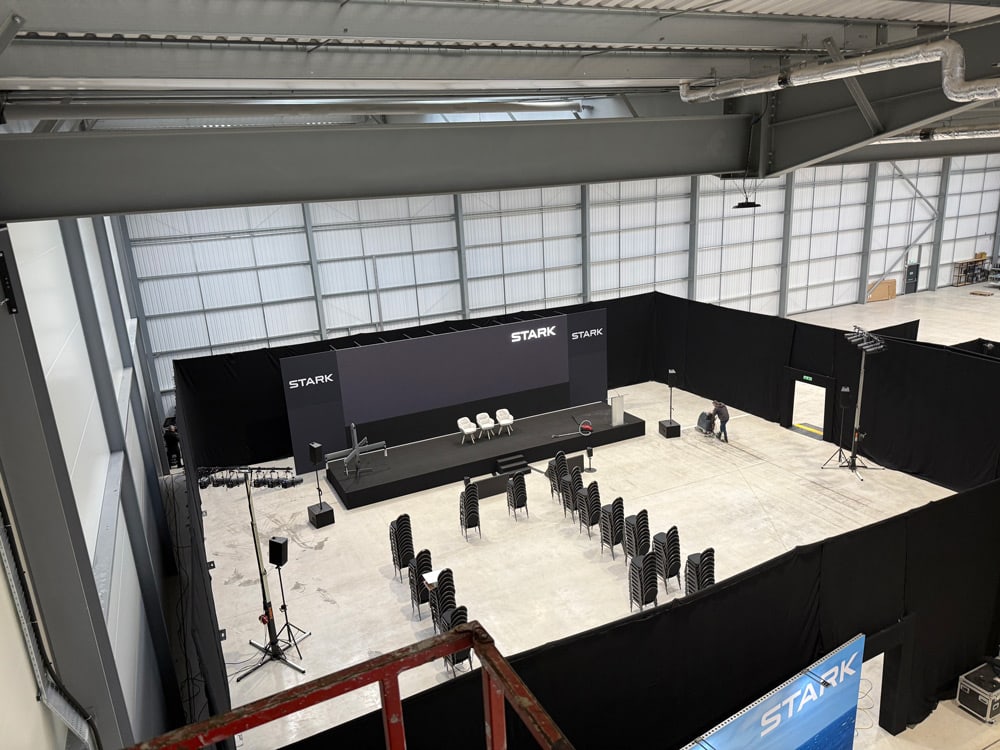
This is something that catches people out more than almost anything else. If your speakers are presenting from a stage and there is a large screen next to them showing their slides, you need to think carefully about how that looks on camera.
Shooting a speaker directly in front of a bright projected screen is one of the trickiest situations in live video production. Exposure is difficult, the screen can appear blown out or illegible on camera, and the result often looks unprofessional even when the event itself is polished. The better solution is to use a vision mixer to combine the speaker feed with their slides digitally. Your online audience then sees the speaker and the slides together in a clean, legible layout, without the camera ever needing to fight with a projected screen.
Also worth considering: are the screens in the room for the in-person audience creating challenges for your cameras? Sometimes what works brilliantly for the people in the chairs creates real headaches on the technical side. It is a conversation worth having early.
Prepare Your Speakers and Build in Breathing Space
Live events have a rhythm, and that rhythm needs to be managed. If your speakers are nervous about being filmed or unused to the format, a little preparation goes a long way.
Autocue and scripted segments help enormously. Not because everything needs to be scripted word for word, but because having a clear structure prevents waffle, keeps timing on track and gives speakers confidence. The moments when events overrun are almost always the moments when no one had a plan for how long things were allowed to take.
Videos scheduled into the running order are genuinely useful here too. A pre-produced video played during the event gives everyone a natural pause. Speakers get a moment to collect themselves, the crew can adjust, and the audience at home gets a change of pace. It makes the whole production feel considered and professionally put together.
What Live Streaming Allows You to Do That an In-Person Event Simply Cannot
This is the part I find genuinely exciting. A live streamed event is not just a smaller version of an in-person event. It is a different kind of event entirely, with its own possibilities.
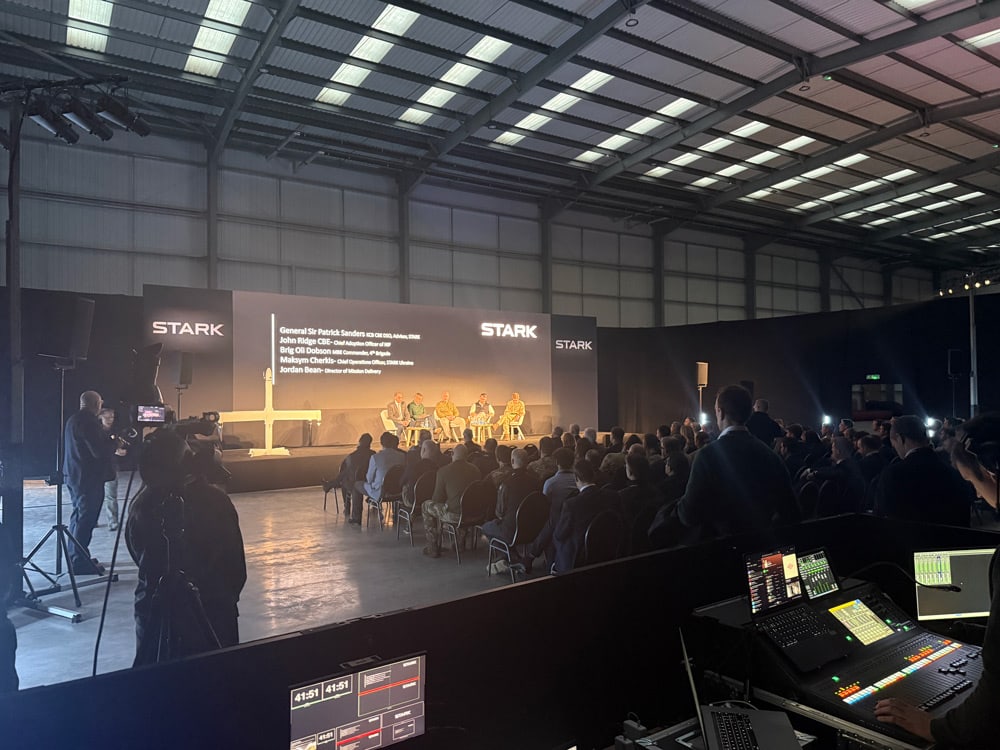
You can bring in speakers from anywhere in the world without travel costs or scheduling complications. A keynote from New York, a panel guest joining from Singapore, a Q and A with someone who could never have been in the room in person. That kind of flexibility is extraordinary and audiences really respond to it.
You can poll a global audience in real time and display the results on screen within seconds. You can ask a question to ten thousand people and have an answer before the next speaker takes the stage. That is simply not possible in a room of two hundred.
The edit after the event matters too. A well-produced recording can be cut down into a concise, shareable video that carries the key messages forward long after the day itself. The event becomes content. And content has a very long shelf life.
Key Takeaways
Whether you are live streaming a conference, an internal communications event or a product launch, the principles are the same. Plan with your online audience in mind, prepare your speakers, and make the most of what the format actually offers.
- Treat your online audience as though they are in the room. Give them the same resources and information as people attending in person.
- Decide early whether live, pre-recorded or a combination of both is right for your event and your goals.
- Think about where your audience will watch and on what device before you choose your platforms.
- PTZ cameras and proper pre-planning mean live streaming does not have to mean a bigger crew or a bigger budget.
- Use a vision mixer to combine speaker and slide feeds cleanly and avoid the screen on screen problem before it happens.
- Build videos and structured breaks into your running order to give speakers and the crew natural breathing room.
- Think about what live streaming unlocks that an in-person event cannot, including remote speakers, real-time audience polling and long-lasting post-event content.
Ready to Talk It Through?
If you are planning a live event and want to talk through how the streaming side of things might work, we would love to have that conversation. Every event is different, and the best setups always start with a chat about what you need.
Get in touch with the Videofrog team to start the conversation. Simply drop us a message, or give us a call on 01962 870 408 for an informal chat about your project. Everything starts with a conversation.
ABOUT THE AUTHOR:

Matt Downer
Matt is our Production Manager. He manages video projects from the first phone call through to the final edit. He brings a blend of creativity, logistical knowhow and a passion for all things video-related. Matt loves running, cooking and watching Back to the Future.
Let’s talk about your video project
Every successful video starts with a conversation.
Tell us what you’re trying to achieve, and we’ll help you shape the right approach.